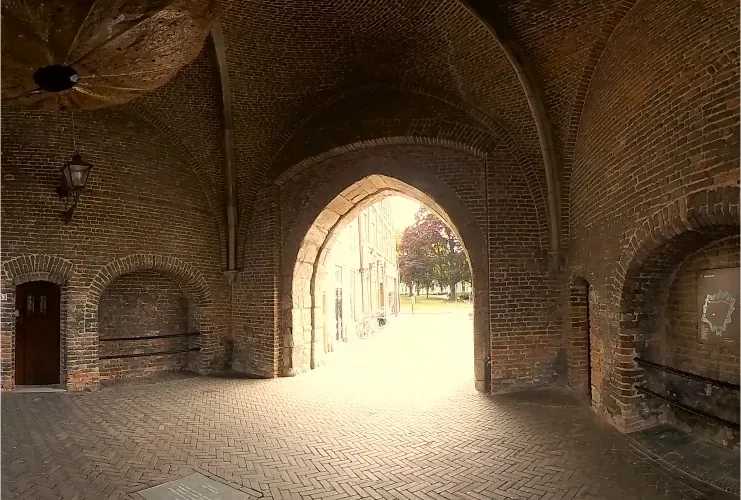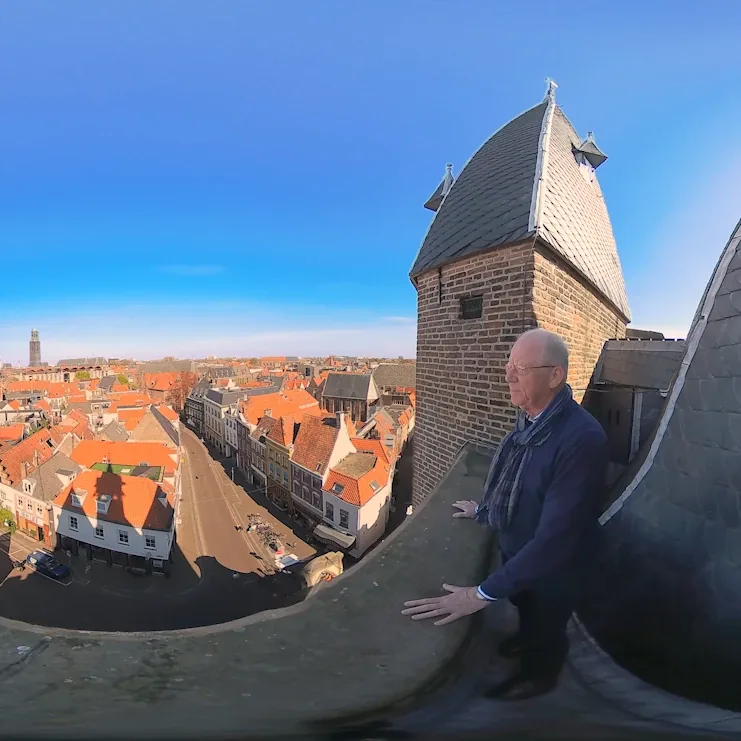
The Sassenpoort in Zwolle is one of the best-preserved medieval city gates in the Netherlands. Its narrow, steep spiral staircases and high tower rooms also make it impossible for many people to explore. For wheelchair users and people with reduced mobility, the inside of the gate often stays out of reach.
Our studio VR-Innovations built an interactive 360° VR tour of the gate, in close cooperation with the local accessibility organisation Toegankelijk Zwolle. The aim was to make the monument accessible to visitors regardless of physical limitations. This article reads that project alongside the W3C XR Accessibility User Requirements (XAUR), a W3C Working Group Note that describes what people with disabilities need from virtual, augmented and mixed reality. It is not a W3C standard, but it is the most useful checklist we know for immersive work.
1. Work with the people the tour is for
The most important design decision came first: the tour was developed with Toegankelijk Zwolle, not only reviewed by it at the end. An accessibility organisation knows which barriers matter in practice and which solutions sound good but do not help.
XAUR is built the same way. It is written as user needs first, with requirements that follow from each need. Starting from needs, not features, is a habit worth copying in any immersive project. It is also how we approach learning design in general, as explained in how we design learning.
2. Take the physical barrier out of the interaction
The barrier at the Sassenpoort is physical: the stairs. In VR, anyone can climb them. The tour leads from the foot of the gate, through the old guard room and up the narrow stairs to the tower rooms, and ends on the roof with a panoramic view over the city.
That only helps if the interaction itself does not bring back a physical barrier. XAUR's user need on motion agnostic interactions describes a person with a physical disability who wants to interact in an immersive environment "in a way that doesn't require particular bodily movement". Its requirement is to allow users to perform an action in a device-independent way, without having to do so physically. XAUR also notes that users should not have to be in a particular physical position, such as standing or sitting.
3. Choose an input that most visitors can use
Visitors in the Sassenpoort tour call up extra information by looking at it, using gaze control. Gaze needs no controller, no grip and no buttons, which lowers the threshold for first-time users and for people with limited hand function.
XAUR lists eye tracking among the input modalities that immersive environments should consider, alongside others such as switch input and voice commands. No single input suits everyone. When you choose one, ask who it excludes, and whether a second input could be offered in the same experience: XAUR asks to allow multiple input methods to be used at the same time.
4. Let visitors set their own route and pace
In the tour, visitors choose their own route and their own pace, and decide how long to stay in each place. That is good for comfort and for understanding. People who need more time to look, listen or read get it.
XAUR covers this under several headings, including immersive time limits and interaction speed. Its section on orientation and navigation adds two practical points: let users reset and calibrate their orientation or view in a device-independent way, and provide clear visual or audio landmarks so they know where they are.
5. Plan for every sense, and bring the tour to people
The voice of a virtual guide tells the story of the gate and the people who lived there, and anecdotes along the way bring the history of Zwolle to life. Spoken stories make the tour easy to follow for many visitors. For deaf and hard-of-hearing visitors, XAUR asks for captioning and subtitling of multimedia content and for text descriptions of important audio content. These are the questions to settle early in any heritage tour with narration.
Accessibility is also about where the experience happens. The tour is used at the Sassenpoort itself and, on request, taken to other places such as nursing and care homes, so that people who cannot visit the gate can still experience it.
What it adds up to
An accessible VR tour does not replace the monument. It widens its reach, and it raises awareness of inclusion in the cultural sector. The lesson for anyone planning immersive heritage or learning content is simple: design with the people who face the barrier, remove physical demands from the interaction, and check the result against a public set of user needs such as XAUR.
Read the full case: Sassenpoort Zwolle, an accessible VR heritage tour. For the way we build VR, AR and web platforms, see our work as a technology partner.
Sources
- W3C XR Accessibility User Requirements, Working Group Note (25 August 2021): user needs and requirements 2 (motion agnostic interactions), 5 (voice commands), 12 (immersive time limits), 13 (orientation and navigation), 15 (interaction speed), 17 and 19 (audio alternatives, captioning and subtitling); section 3 on input modalities and physical positions.
- Sassenpoort case on VR-Innovations (in Dutch).