Many digital learning projects start with a medium: "we want VR" or "we need an app". It works better the other way round. Start with what learners must be able to do, then pick the medium that gets them there for the group, the budget and the years after launch. This guide sets out the main options and six criteria for choosing between them.
The options
Browser-based scenarios. A web application runs on any laptop, tablet or phone without installation. It suits branching scenarios with text, images, video and audio, short decision tasks and reflection. It is the easiest medium to update, to translate and to make accessible, and it reaches the largest group. What it cannot do well is give a sense of space and presence.
Tablet and phone apps, including AR. An installed app can use the device's camera, sensors and offline storage. Augmented reality places digital objects in the real room, which helps when learners need to see how something is built or where it goes. Tablets are also good second screens: an instructor can follow and steer what learners do.
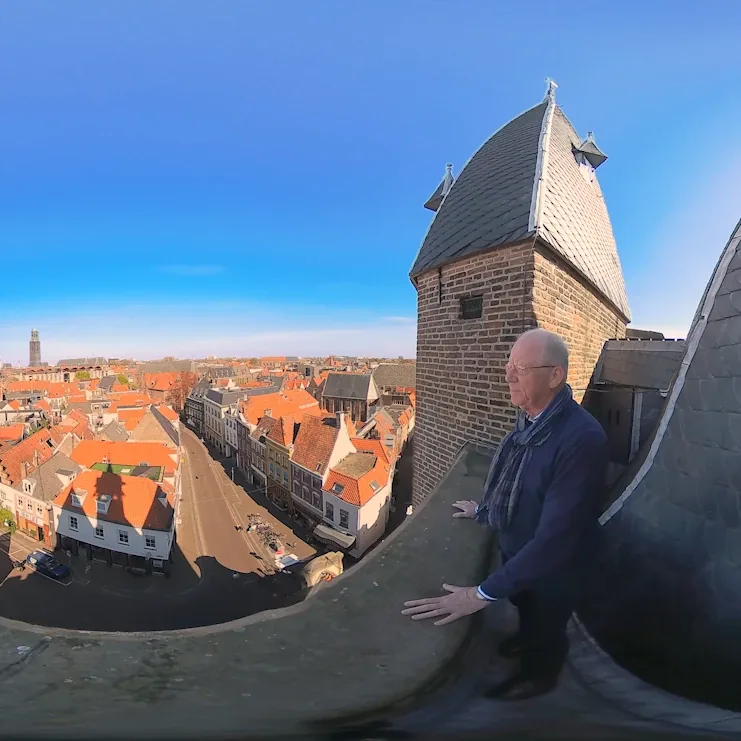
VR headsets. Virtual reality puts learners inside a situation: a ward, a road works site, a smoke-filled building. It is strongest when the setting matters, when practising in reality is dangerous, expensive or rare, and when learners must act with their body and voice. It asks more: headsets, charging, hygiene, device management and a place to play. Interactive 360° video is a lighter form of VR, where learners look around and choose, but do not move freely.
Serious games. A serious game is a design approach rather than a device. Goals, rules, time pressure, teamwork and feedback can be built into a browser game, an app or a VR experience. Games work when the game mechanics are the skill, for example cooperating under time pressure, and less well when points and badges are bolted on.
Six criteria
- Learning goal. Knowledge and decisions can often be practised in a browser. Procedures, spatial awareness and interpersonal skills under pressure gain more from VR or AR. Write the goal as an observable action first, then check which medium lets learners perform it.
- Group size and setting. A thousand employees spread over many sites point to the browser. A group of four with an instructor in a training centre can use headsets. Events and exhibitions need something that works in a few minutes without explanation.
- Devices and logistics. Who owns the devices, who charges and updates them, and where are they used? Standalone headsets avoid cables and PCs; a kiosk mode keeps a public installation running without staff.
- Accessibility. Web content can follow WCAG 2.2. For immersive media there is no equivalent standard, but the W3C XR Accessibility User Requirements describe what users need, such as interaction that does not depend on particular body movements, captions and support for different positions. Every medium excludes someone, so plan an alternative route.
- Maintenance. Content changes: procedures, logos, laws. Ask who updates texts and scenes after launch, and how much each change costs. Web content is cheapest to change; VR scenes cost the most. Plan updates for operating systems and headsets over the life of the project.
- Data. Decide what you need to know about learning, and what you do not. A dashboard with progress per learner is useful for a coach and needs a clear legal basis, data minimisation and a retention period under the GDPR. Often anonymous or group-level data is enough.
Examples from our projects
The examples below come from projects our studio VR-Innovations built.
- VR where the setting matters. For Santeon, care staff and families experience delirium on a ward through a patient's eyes, standalone on Meta Quest 3 and Pico headsets. The first-response modules let employees practise resuscitation with an AED, a fire extinguisher, smoke and evacuation, some in passthrough.
- VR with natural input. In the Trigion role-play, airport security staff talk freely with a virtual passenger. The Bevolkingsonderzoek Nederland job preview uses hands-only interaction, without controllers.
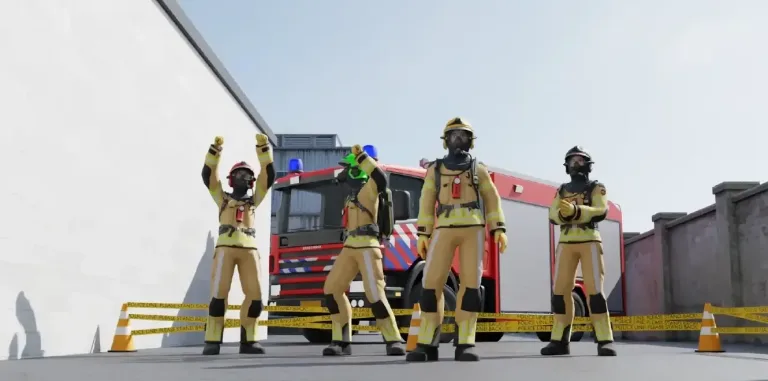
- Games where cooperation is the skill. For Veiligheidsregio IJsselland, four firefighters solve tasks together in a multiplayer VR escape room against a 20-minute air-cylinder clock, with a tablet app for the instructor. Traffic & More combines Meta Quest 3 headsets, a tablet app and an analytics dashboard for a road-safety escape room.
- AR on a tablet. For Windesheim University of Applied Sciences, an AR tablet game shows how rubber is reused.
- 360° VR for the public. Natuurmonumenten's Oosterschelde dive and the Pels Rijcken rule-of-law experience run as 360° installations in kiosk mode.
- VR plus a web environment. INTOS and Speak And Spoke combine VR scenarios with an online environment for coaches, use and progress.
More cases are in our client work.
A simple order of decisions
Write the learning goal, describe the group and the setting, list the constraints on devices, accessibility, maintenance and data, and only then choose the medium. Often the answer is a mix: a browser module to prepare, a short VR scenario to practise, and a debrief with a person. How we build those scenarios is described in scenario-based learning, and how we build the technology behind them in our work as a technology partner.
Sources
- W3C XR Accessibility User Requirements (Working Group Note, 25 August 2021).
- W3C Web Content Accessibility Guidelines (WCAG) 2.2.
- Regulation (EU) 2016/679 (GDPR) on EUR-Lex: Article 5 (data minimisation, storage limitation), Article 6 (lawful basis).